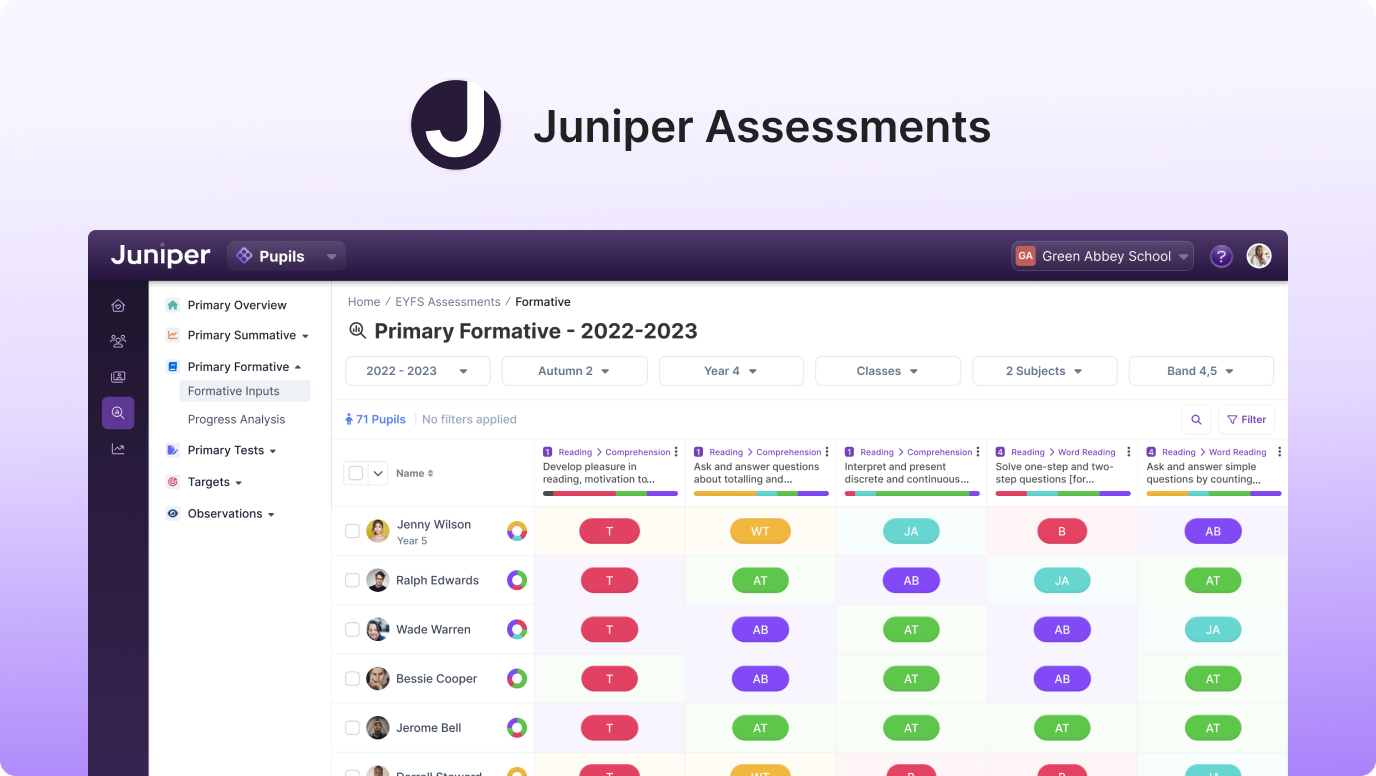
Juniper Assessments hero image
My Role
Research, analysis, product design, design systems, user-testing.
The Team
2 designers, 1 product manager,
10+ engineers.
Timeline
Oct 2022 - Apr 2023

Introduction

With over 20,000 primary schools in the UK required to report pupil assessment data to the Department of Education, teachers face a significant administrative burden. This challenge presented an exciting opportunity to design a digital solution that simplifies data management, prioritises user experience, and enables teachers to focus on what they do best: teaching.

Initial analysis revealed that many of the platform's 40+ reports had alarmingly low usage, with some critical reports used by less than 10% of users. Customer satisfaction was equally concerning, averaging just 30%.

These findings underscored the need for a complete overhaul, paving the way for a more intuitive and user-focused Sonar V2.

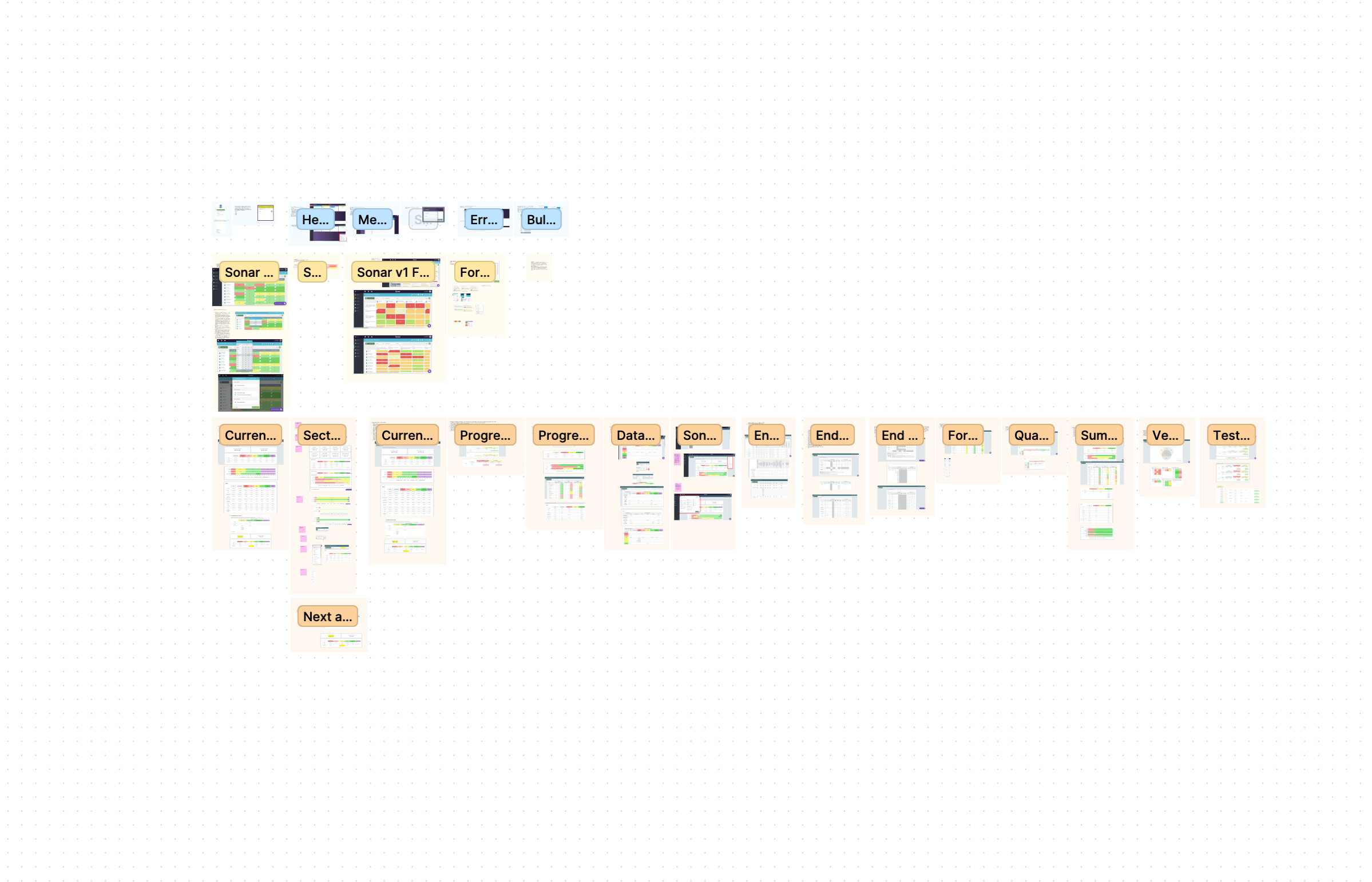
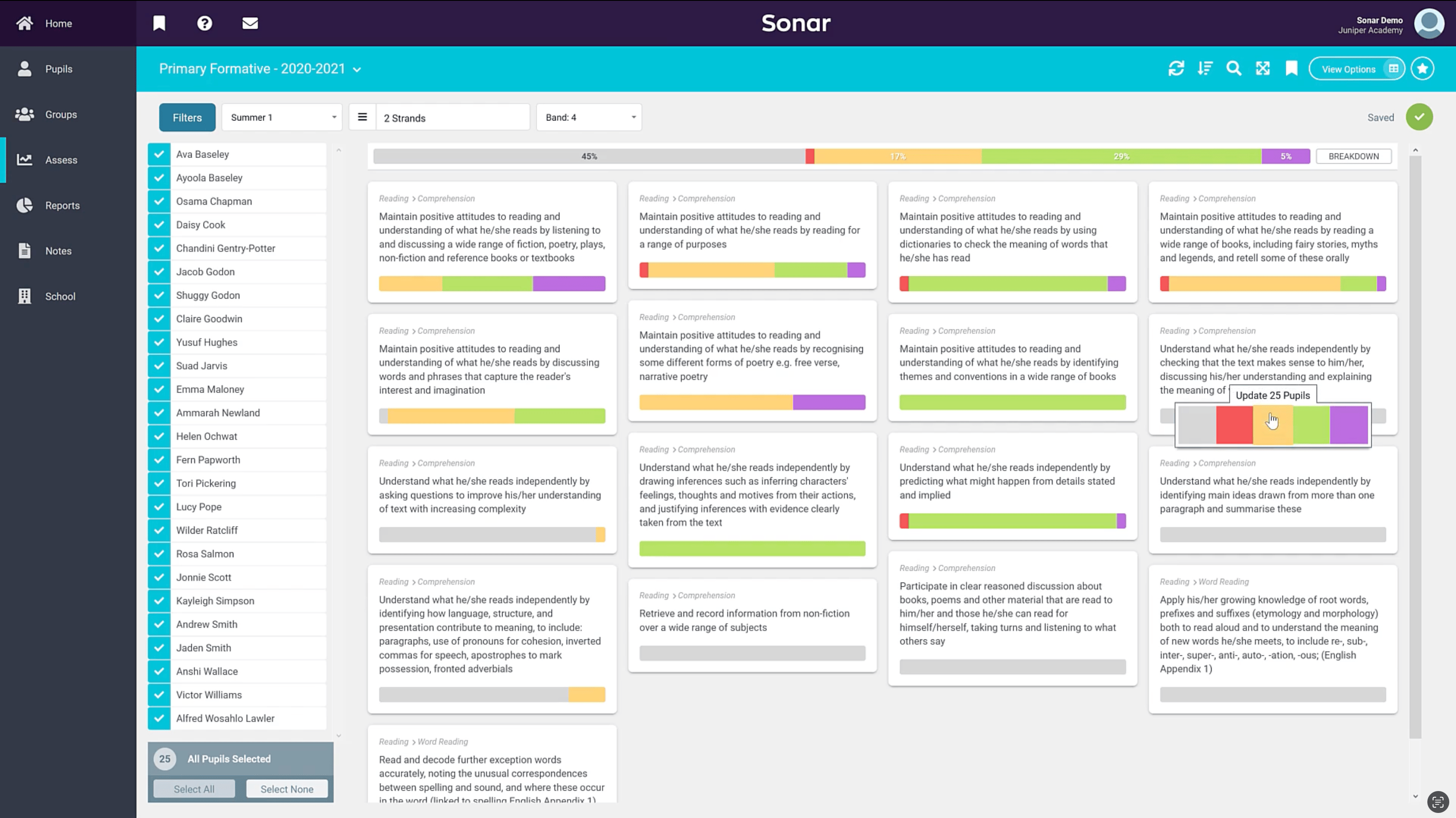
Juniper Sonar V1

The Solution

After conducting focus groups with our in-house operations teams, user studies with customers, and several design sprints, we established the design direction for what we internally referred to as ‘Sonar V2’. The goal was to create a design that was intuitive, simple to use, and accessible to all users, regardless of their technical literacy. This approach would require a concerted effort across most of the company, including our product, engineering, and operational teams.

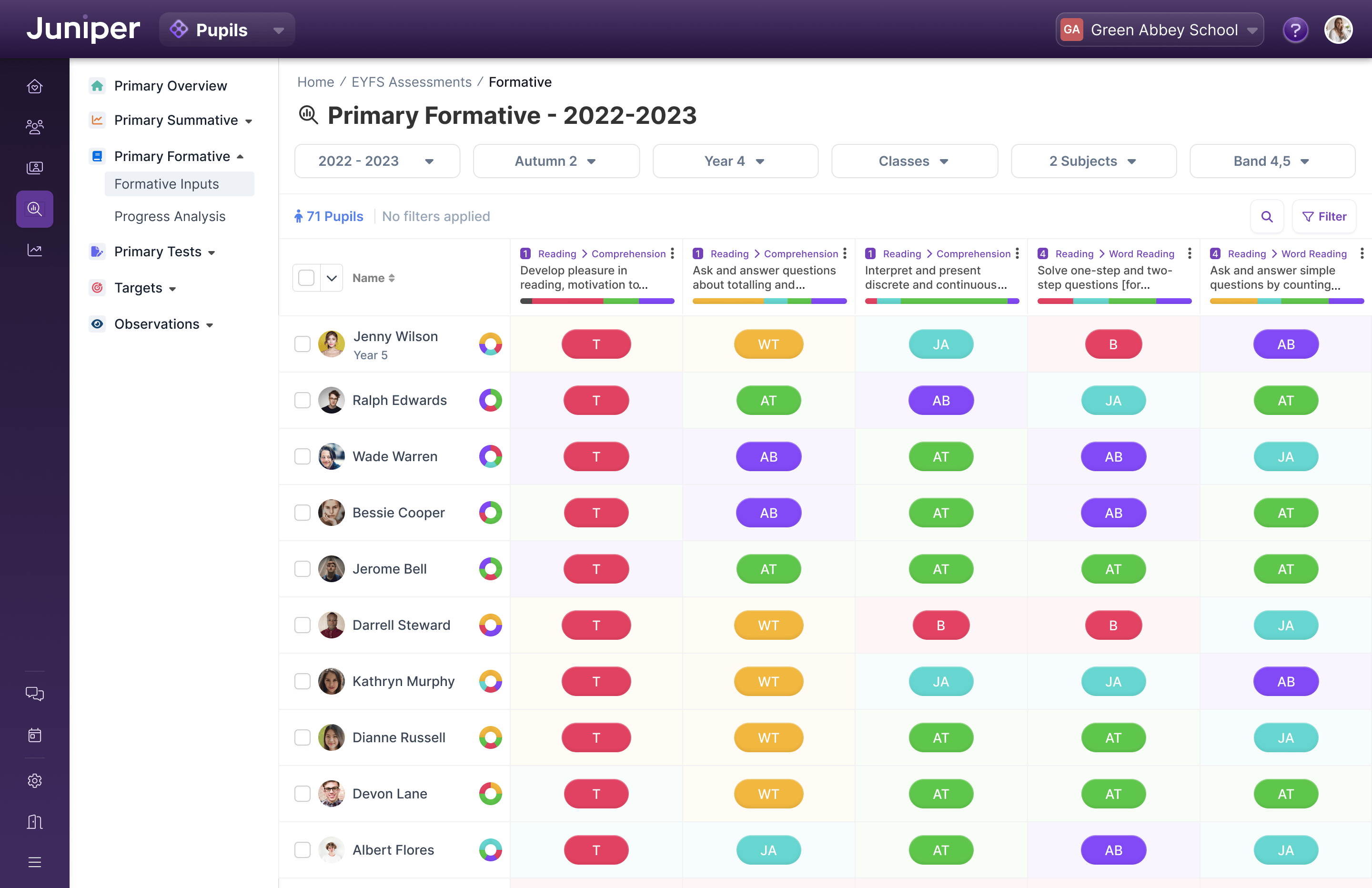
Our primary focus was data tables, aiming to replicate familiar patterns from tools like Excel and Google Sheets that our customers were already accustomed to. By mimicking their existing workflow, we intended to reduce the cognitive burden of inputting and manipulating data.

With continuous feedback loops, working with our in-house experts and external customer base, we fine-tuned our approach until we achieved a result that catered to our users' diverse needs and preferences.

Subsequent user testing, which included monitoring navigation time and task completion rates, confirmed the success of our efforts. Overall, the streamlined navigation and enhanced report discovery proved to be practical improvements for Sonar V2, with average beta customer satisfaction rates hovering around 80%.

Sonar V2 Data Entry Screen

Details

Contextual Information, anywhere

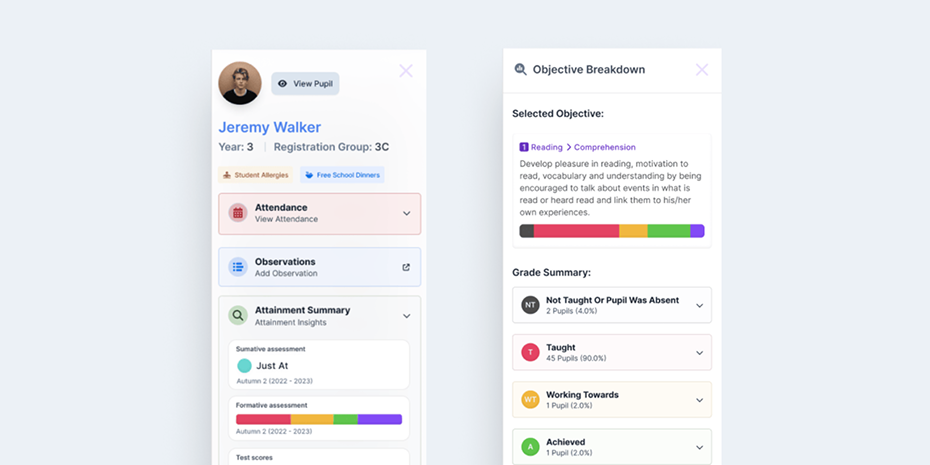
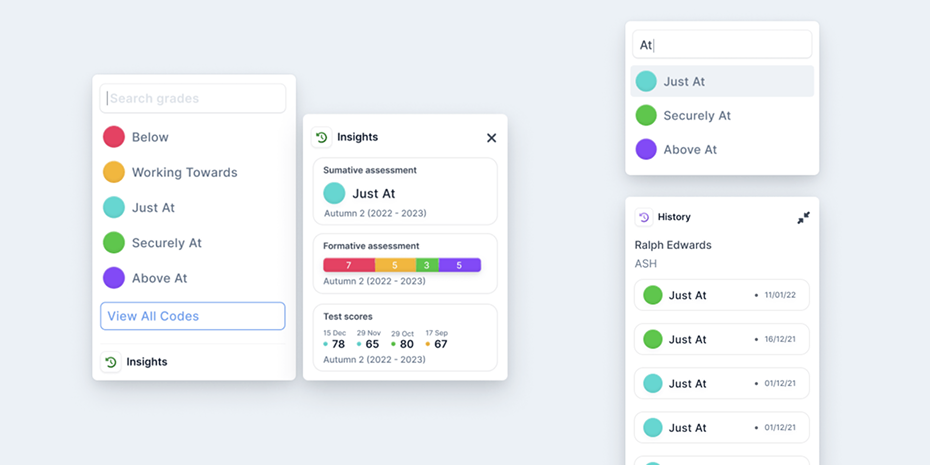
We introduced sliding panels to provide quick, contextual information with a single click, ensuring consistency throughout the product. For instance, clicking on a pupil's name instantly displays their full profile. Similarly, a grade 'slide-over' consolidates summative grades, formative grades, and test scores into one view - eliminating the need to consult three separate reports. This feature became an invaluable enhancement for customers.

Examples of contextual slide-overs
Intuitive pickers and a "Wayback Machine"

The pickers provided an intuitive solution for teachers to quickly input large volumes of data. By clicking a cell and typing, users triggered a smart picker that offered filtered suggestions in real-time.

To enhance functionality, we incorporated a triangulation feature similar to the 'slideover,' enabling users to view a child's previous results directly at the data-entry point.

Additionally, I introduced the option to copy data from the previous term. Research revealed that term-to-term data often remains unchanged, making this feature a time-saving solution for users.

An assortment of Assessment Pickers
Smart Dock for tables

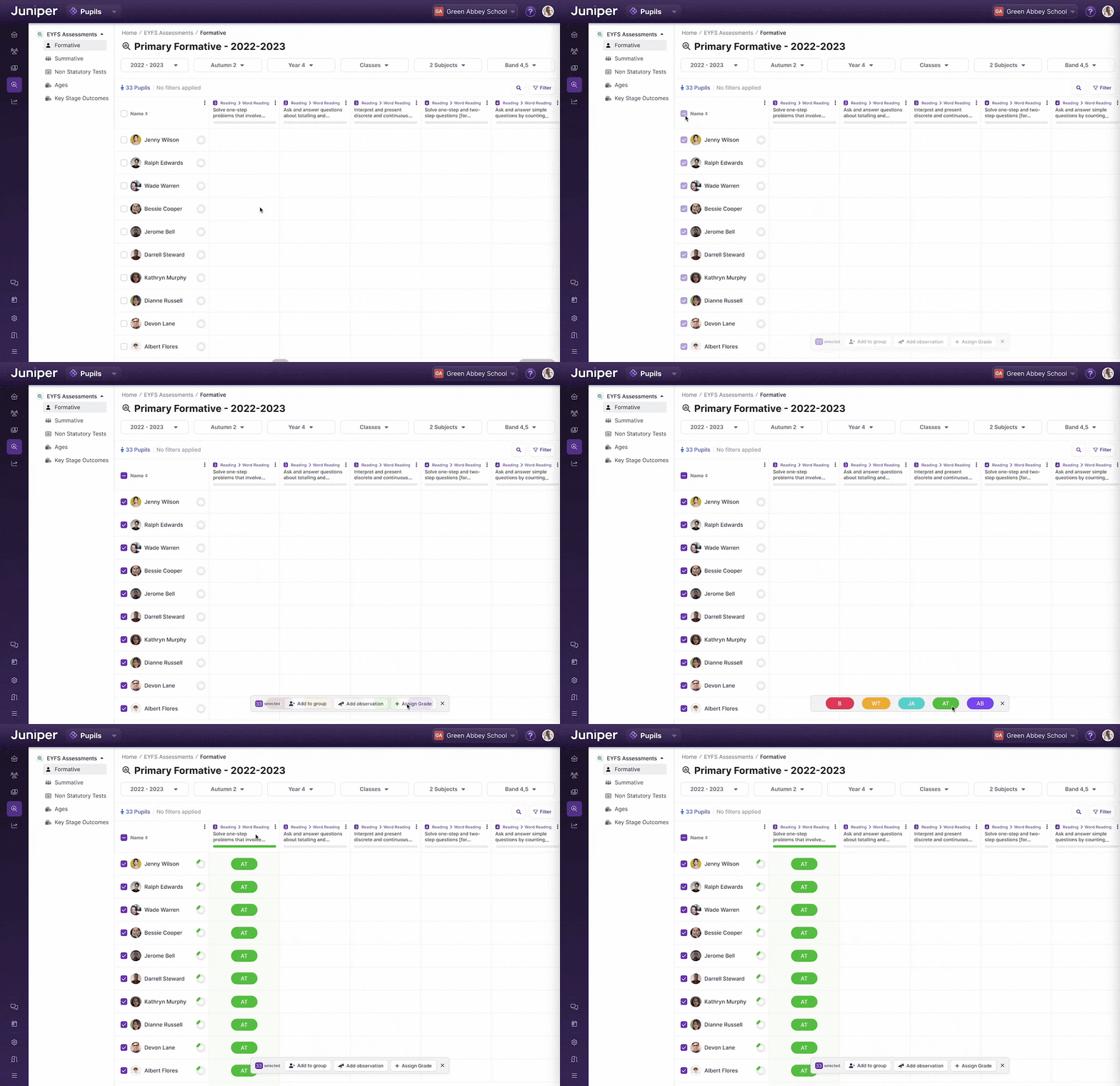
The dock was a prototype developed during a design sprint to streamline bulk actions on tables. It aimed to provide users with quick, contextual options while maintaining their focus on data entry.

When users selected cells, the dock appeared at the bottom center of the table, offering a range of actions to apply efficiently.

One of the features of the Smart Dock, bulk filling a column
Quick filtering

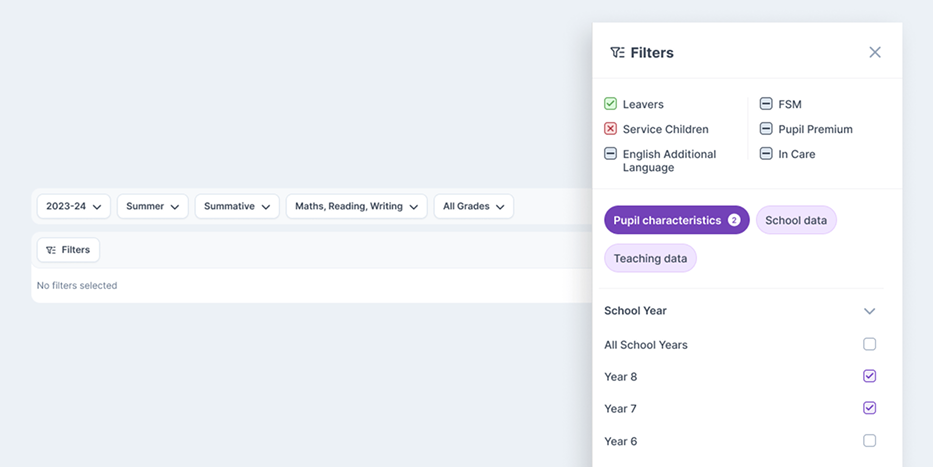
Filtering and navigation were significant pain points in the old system. After exploring various solutions, we implemented a two-tiered approach: 'On-Page Filters' and a comprehensive Filter Menu.

User data from the previous system revealed that commonly used filters were best placed directly above data tables and reports for easy access.

The Filter Menu, housed in a convenient slide-over, contained the remaining filters, organised into clear categories. This structure made it much easier for users to locate and apply the filters they needed.

An example of the table filters
Good Places hero image
My Role
UX Researcher
UX Designer
Personal Project
Good Places
Date / Duration
February 2022 - ongoing

Introduction

Good Places is a personal project of mine that I've been working on in my spare time. It's a concept for an app that sets out to solve a problem that I frequently face in my own life, and through the early research carried out in this case study, I found that others encounter this problem too.

Project Goal

The goal of this project was to create an interactive prototype that will serve as a minimum viable product (MVP) which will be tested on potential users to evaluate whether there's product-market fit or put simply, whether there's actually a demand for such a product.

The Problem

Whether you’re going out for dinner, getting coffee with a friend, or simply going for a walk somewhere new, finding good places to go can be time-consuming and frustrating. Review sites tend to be hit or miss, with reviews running from awful to amazing, which can be confusing when trying to gauge whether a place is good or not.

The Solution

The solution is a mobile app that enables users to search for restaurants, coffee shops, and a long list of other vendors and activities, recommended by their friends. When users visit a new place, they can add it to their recommendations, sharing images and a review if they choose to. When their friends search for that category (e.g. "coffee") in that location (e.g. "Belfast"), their recommendations will be shown to them.

Research & Analysis

Survey

I carried out a survey to get a better understanding of the problem and recurring struggles people face. There were 42 respondents aged 18–25.

Here are the key findings:

75% of respondents reported they find it difficult to find new places to go.

When asked how they usually go about finding new places to go, 64% of respondents reported “searching online”, with the other 36% asking friends who had been to that location before.

Of the respondents who answered “searching online”, 71% spend more than 10 minutes searching for somewhere

When asked about who’s recommendations they trust the most, 97% of respondents answered “friends”.

The following are factors that respondents reported contribute to their decision making when deciding where to go:
87% of respondents answered “Taste”
71% of respondents answered “Good menu”
64% of respondents answered “Good images”
37% of respondents answered “Value for money”

User Persona
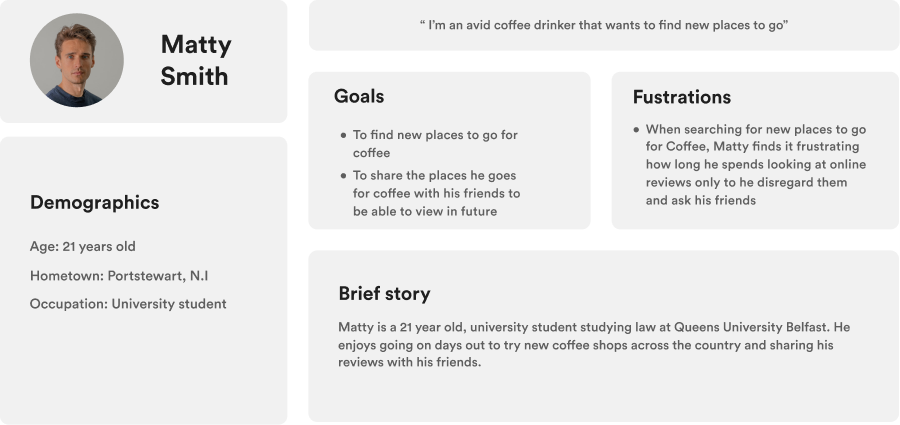
After collecting the data from the survey and converting it to actionable insights, I moved to creating a user persona of what a typical user might look like, detailing their goals and frustrations. By doing this it allowed me to make more empathetic design decisions, always asking "how would this decision help or hinder the user experience?"

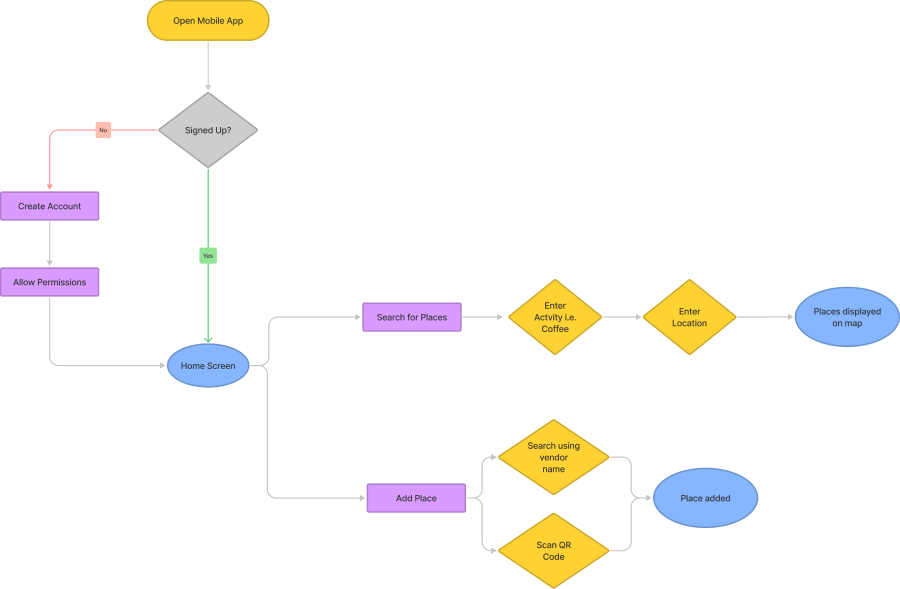
User Flow

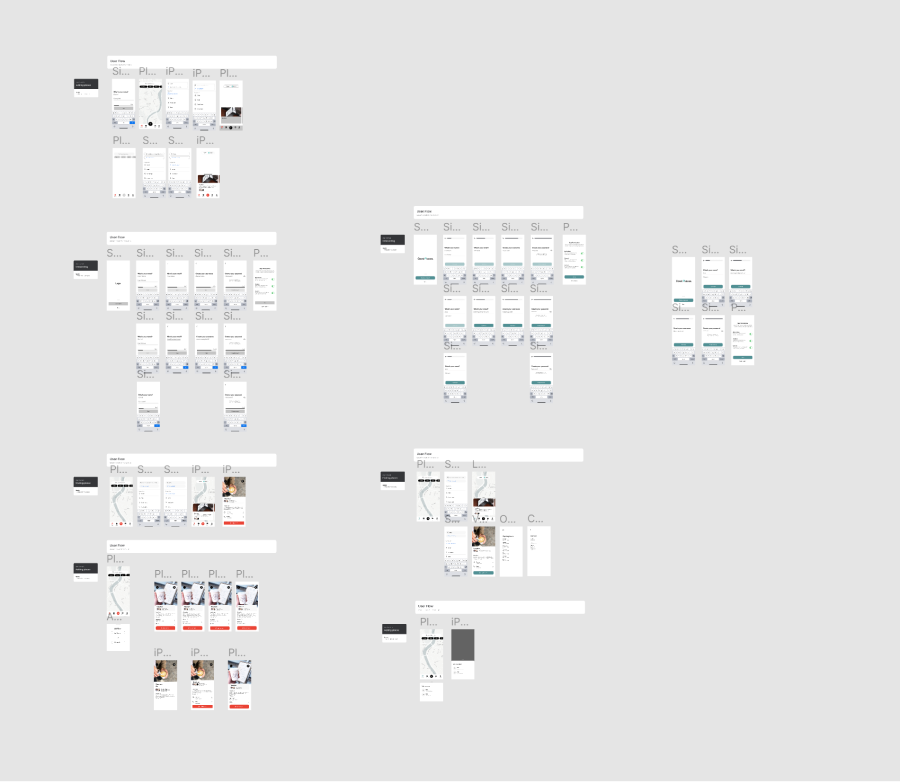
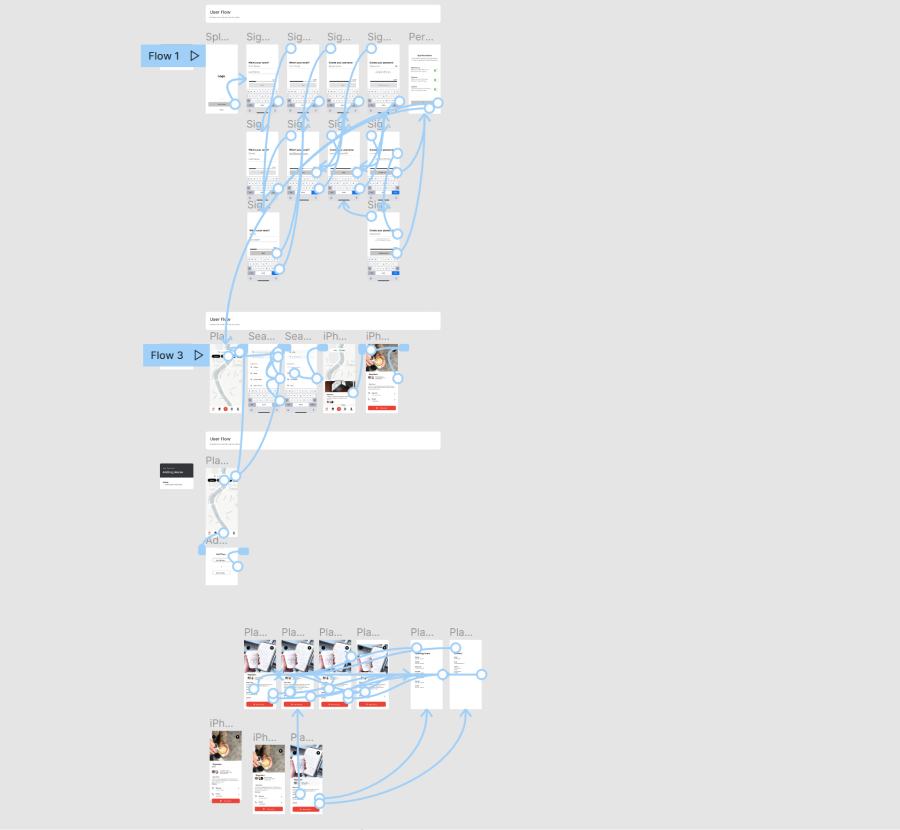
I created a visual representation of the user flow in order to better understand the most optimal path for users to reach their end goal. This process helped me highlight areas of the user journey which are more intricate than others and were crucial in getting right in order to create a positive user experience.
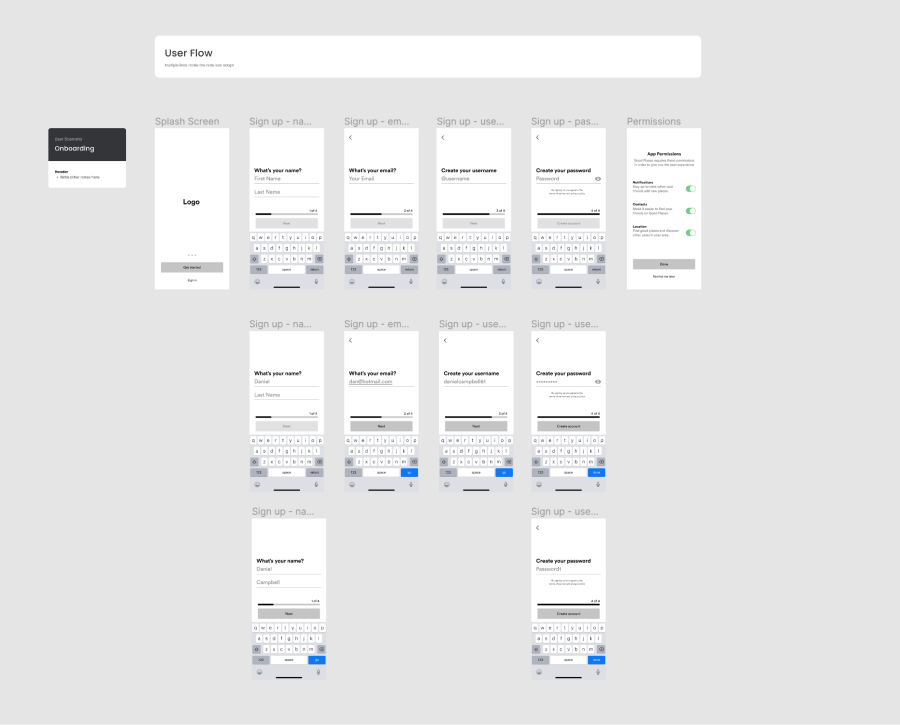
Prototyping

I created an interactive prototype to give testers a comprehensive example of how different user flows and transitions work within the app in order to best analyze their experience and their specific emotions when trying to achieve their goals.

My Role
UX Designer
Webflow Developer
Client
Claddagh Tours
Date / Duration
October 2021 - 4 weeks

Introduction

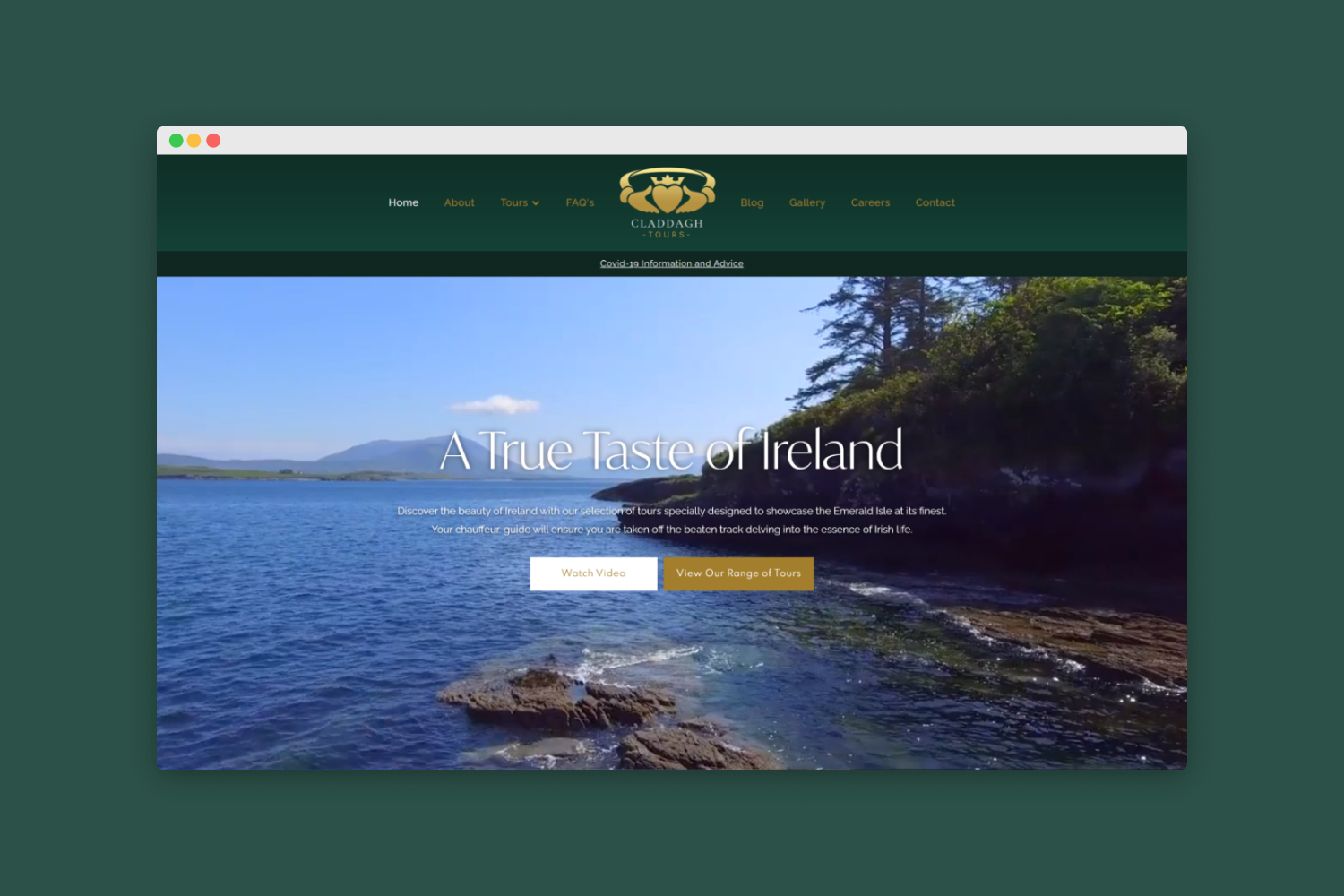
Claddagh Tours is a leading luxury travel design company and destination specialist offering the ultimate in exclusive and inspirational customized travel experiences in Ireland.

The Problem

Customers called attention to their frustration with Claddagh Tours’ lack of a website which would allow them to book directly through Claddagh Tours, rather than having to book through third party companies like they were being forced to do. This was leading to lower booking completions.

The Solution

With the problem now identified, the objective was to design and develop a website which would allow customers to freely view the range of tours offered by Claddagh Tours and book their selected with ease, with the use of a user-friendly booking system.

Goals

The primary objectives were identified as:
1: User-friendly booking system
2: Intuitive home page which lists tours
3: UI reflecting the brand identity

Research & Analysis

Competitive Analysis

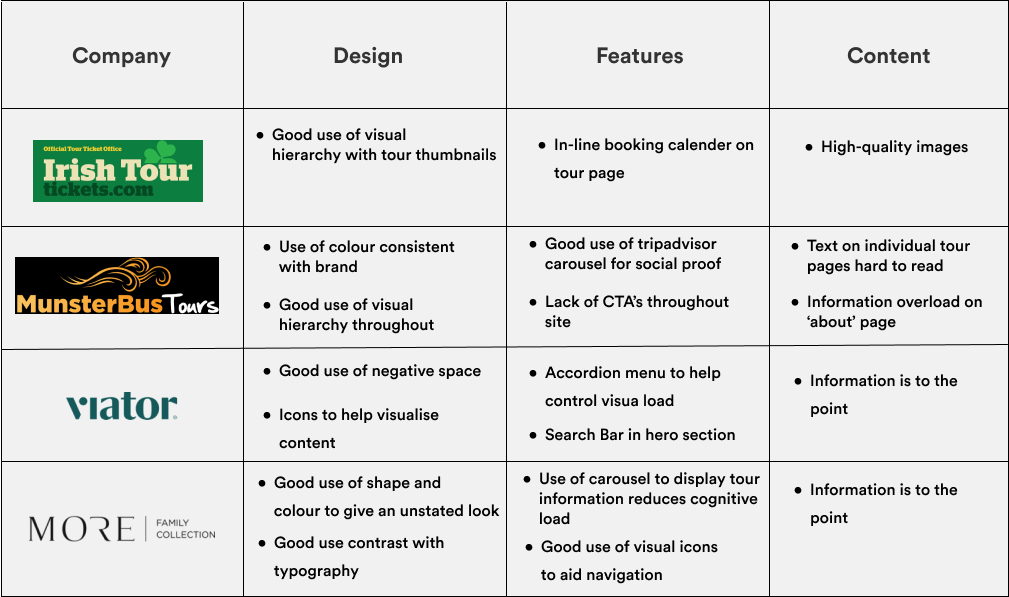
To gain inspiration and identify potential market gaps, I carried out competitive analysis amongst a number of direct and indirect competitors. When analyzing competitors I focused on their respective user journeys and the actions their users had to perform in order to accomplish their goal. I also identified commonalities among competitors, taking into consideration things like design, information overload, good/bad features which I recorded in a table.

User Persona

By creating a user persona, it helped me to base my design decisions on the best representation of a real customer of Claddagh Tours, Jane. Allowing me to make empathic decisions and ask questions like “How would Jane benefit from this feature?”, “How could I make this process easier for Jane?”

User Flow

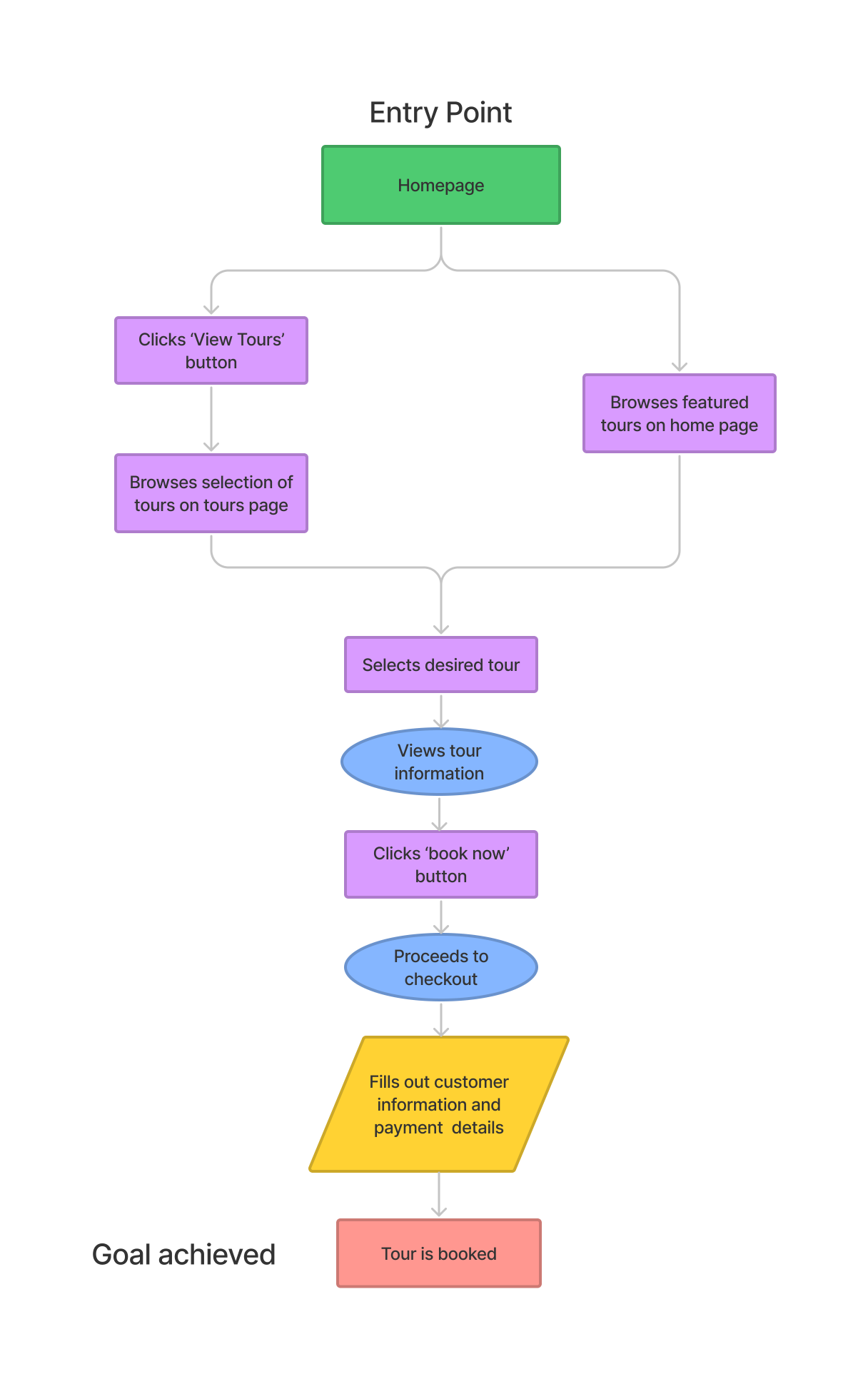
I created a visual representation of the journey which customers take from their origin of landing on the home page, to ultimately achieving their goal of booking a tour. When making design decisions I kept referring back to this diagram in order to make sure the decisions I was making were contributing to the users joruney in helping them to achieve their goal of booking a tour, and not just adding design features for the sake of it.

Ideation

Concepts, Sketching

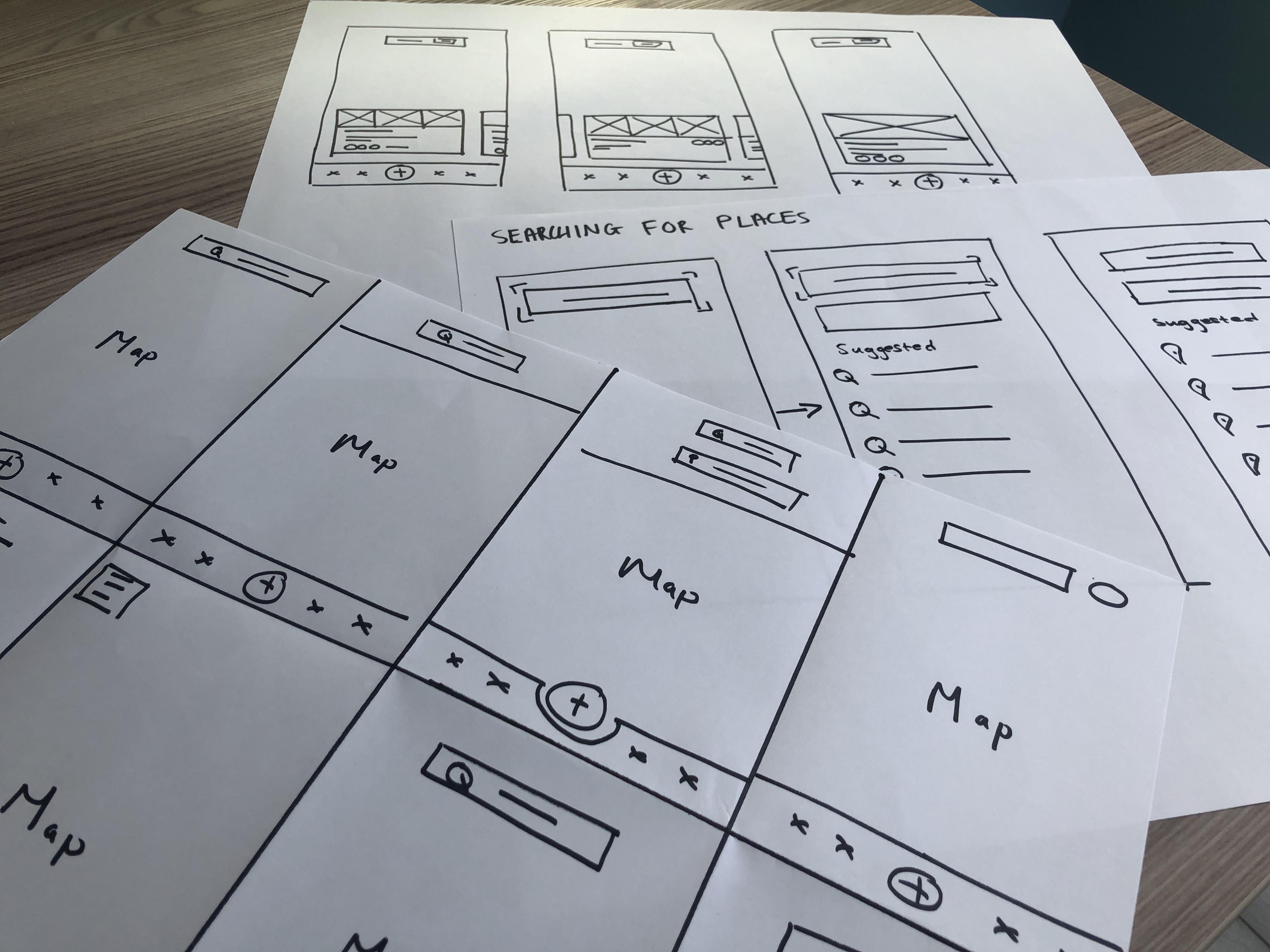
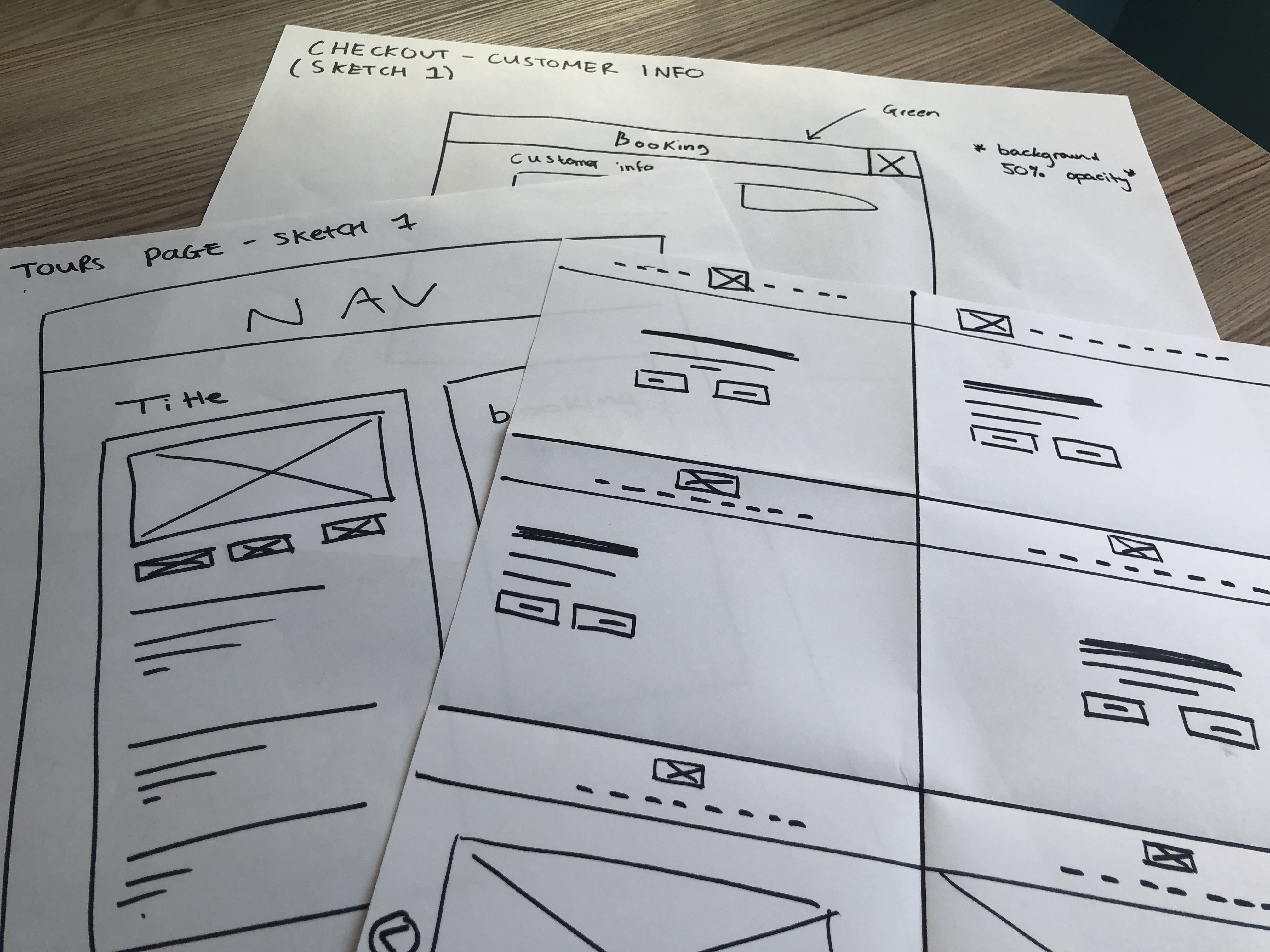
Taking the insights I gained during the research stage, I began to visualize a broad range of design solutions by sketching a number of different layouts using the Crazy 8’s brainstorming method for rapid ideation. After I had sketched these variants, I selected the most suitable designs and moved forward with creating low-fidelity wireframes digitally.
High-Fidelity Designs

Once I had gained a clearer idea of the basic structure of the website with the low-fidelity wireframes, I moved to turning my early ideas into high fidelity designs, experimenting with different colors, shapes, and typography which suited the identity of Claddagh Tours as a brand and the image of luxury they wanted to portray to their customers.

Testing - Usability & Feedback

In order to validate my design decisions, I conducted usablity tests with users and recorded the results. By carrying out usability tests it gave me insight into how real users interact with the user interface and their emotions associated when trying to achieve their goal of booking a tour.

Development

I developed the site using Webflow. Ensuring the site was fully responsive, working fluidly across all devices from web to mobile. I also made sure the site was inline with Web Content Accessibility Guidelines, ensuring it was perceivable, operable, understandable and robust; catering to users with visual & hearing impairments.

My Role
UX Designer
Webflow Developer
Client
Data Goose
Date / Duration
June 2020 - 4 weeks

Introduction

Data Goose is an early stage startup on a mission to empower their users with control over their personal data by enabling them to decide which companies use it, under which conditions and for which price.

My Role

In this project, our team was tasked with redesigning the user interface and improving the user experience of Data Goose’s MVP landing page with the goal of driving more sign ups.

Our team consisted of 2 UX designers, Scott & myself. Whilst we collaborated together in the design stage, we both carried out multiple roles during this project. Scott was also responsible for carrying out research & analysis, whilst I was responsible for developing the site.

The Problem

The existing site lacked structure and a feeling of direction and flow, which failed to fulfill its potential of explaining the service in a clear and understandable way, leaving users feeling confused about what they were viewing.

Additionally, the site was missing a sense of character and an identity unique to Data Goose and the problem they're solving.

The Solution

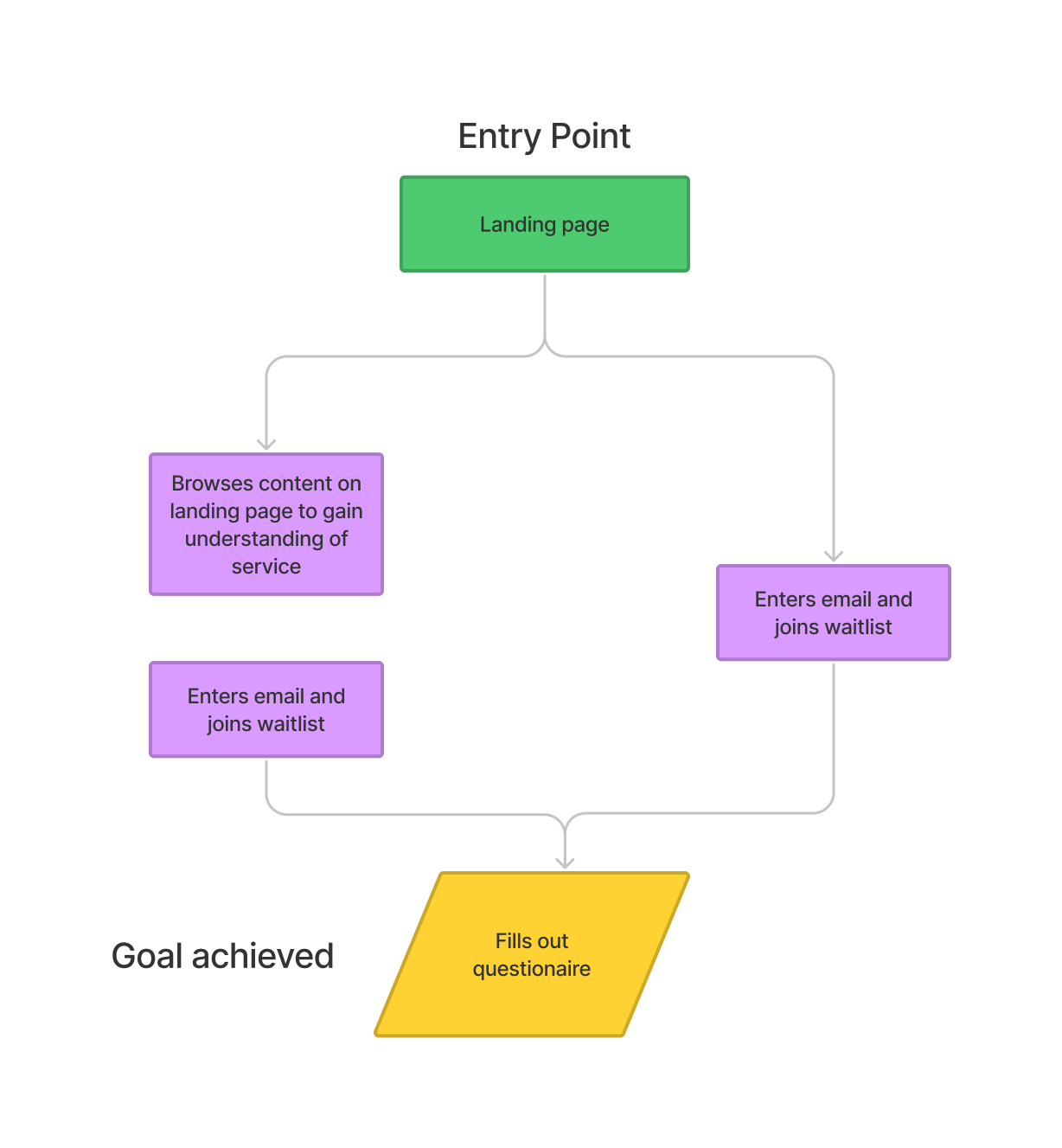
Our solution was to guide users through the Data Goose site like a story, from how the service worked, to the people behind it. This would give potential users a clearer understanding of the service which in turn would help establish trust in the service and give users the confidence and reassurance to sign up and complete the questionnaire.

Goals

With all this in mind, the design goals of the project were identified as:
1.) Improve users' awareness and understanding of the service, most crucially how it works.
2.) Increase the number of users signing up to the waiting list and completing the questionnaire.

Identifying existing UX issues

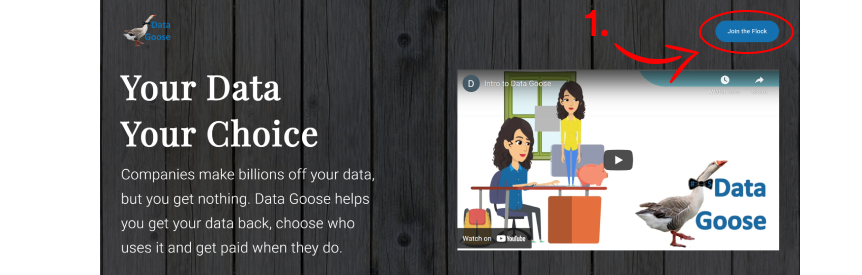
Before I even began putting pen to paper to ideate my own solutions, I analyzed the existing site to identify any UX issues that were negatively affecting the user experience, aswell as any existing patterns and solutions which could contribute to the re-design.

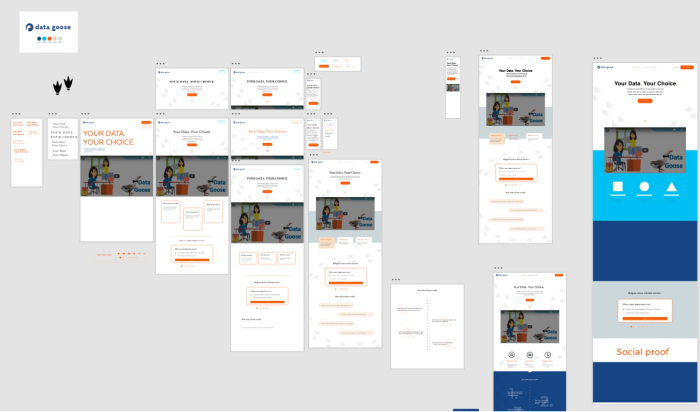
Before I even began putting pen to paper to ideate my own solutions, I analyzed the existing site to identify any UX issues that were negatively affecting the user experience, aswell as any existing patterns and solutions which could contribute to the re-design.

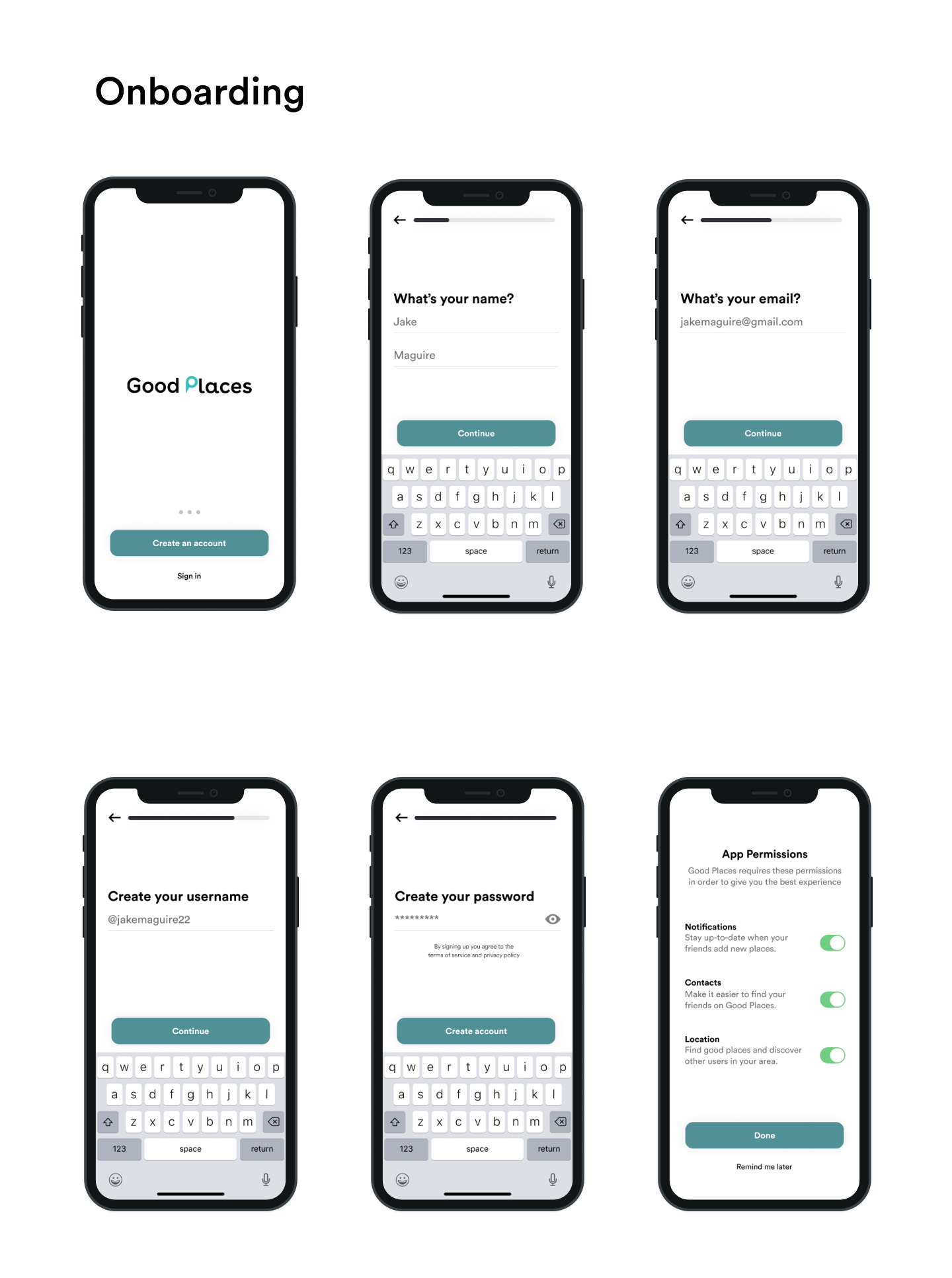
An image of user onboarding
1. Vague Call to Action button - leaves users confused and asking what am I doing by “joining the flock”?

Ideation

Concepts, Sketching, Wireframes

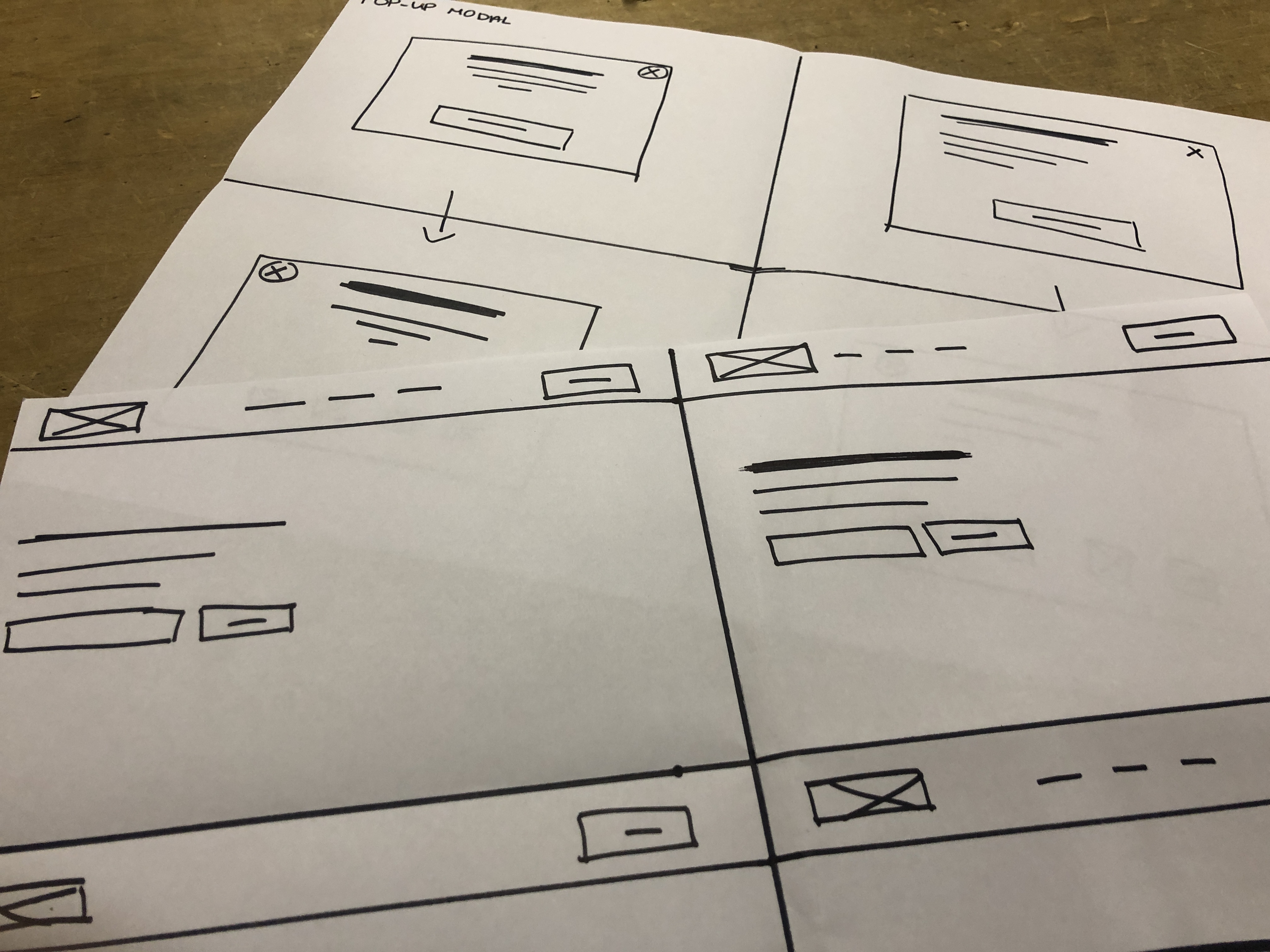
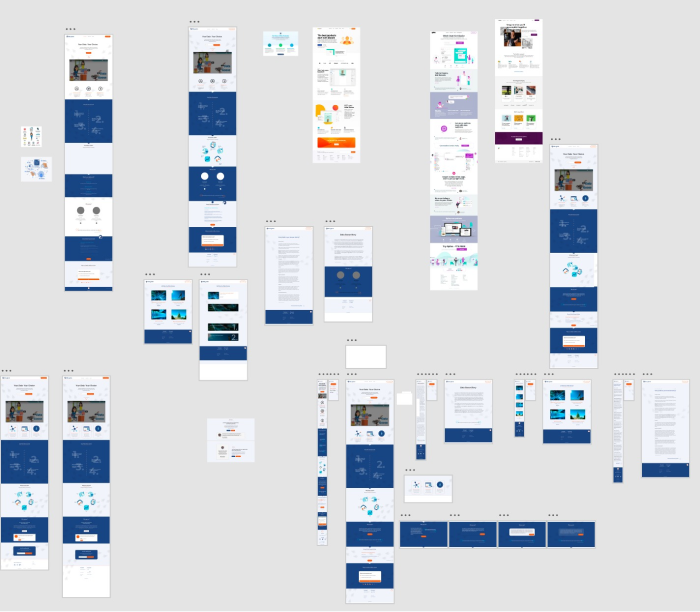
After reviewing the existing site and identifying areas for improvement, I began to generate a number of design solutions by sketching various layouts and patterns. Once I had sketched these variants, I moved forward with creating low-fidelity wireframes digitally.

High-Fidelity Designs

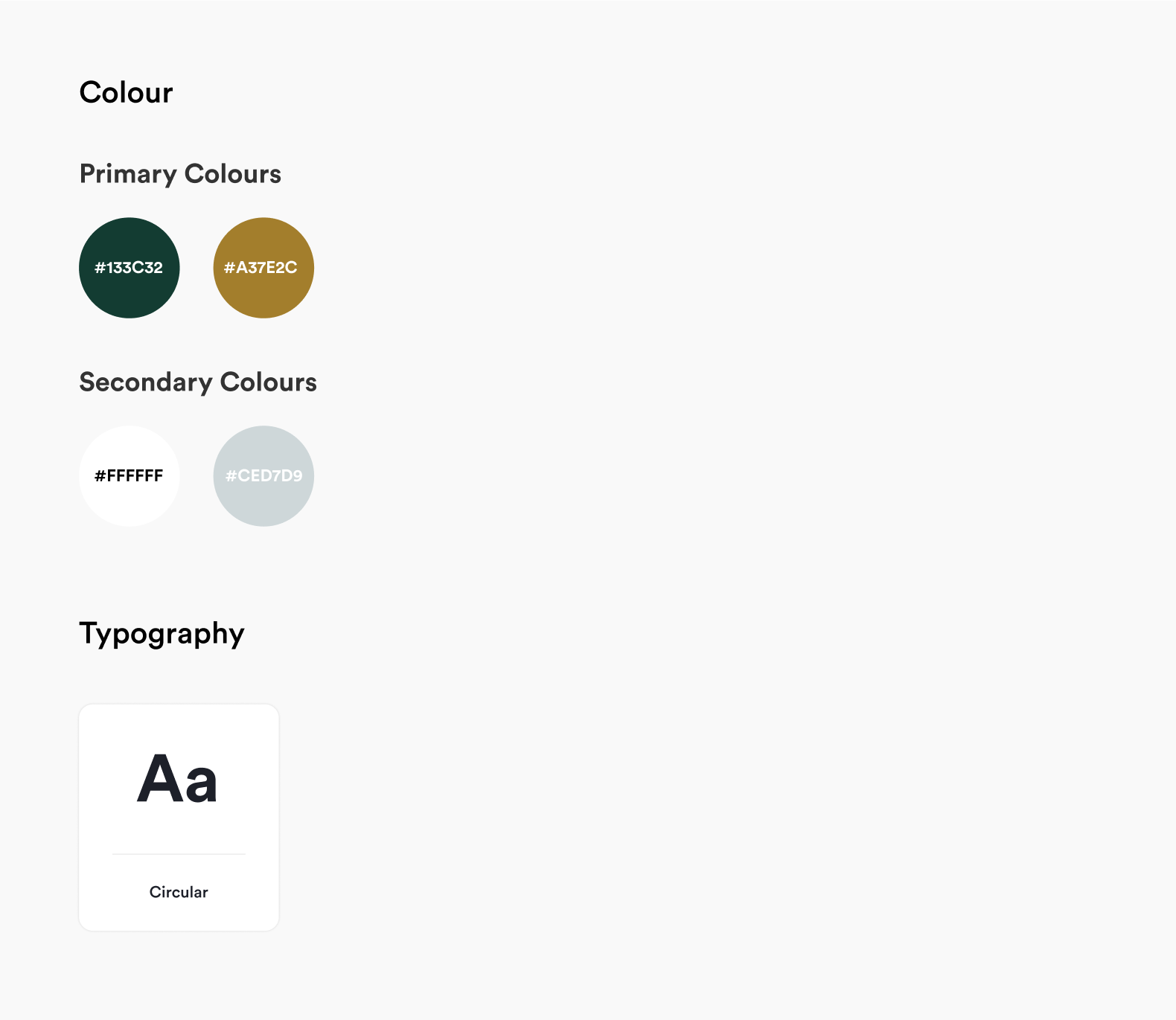
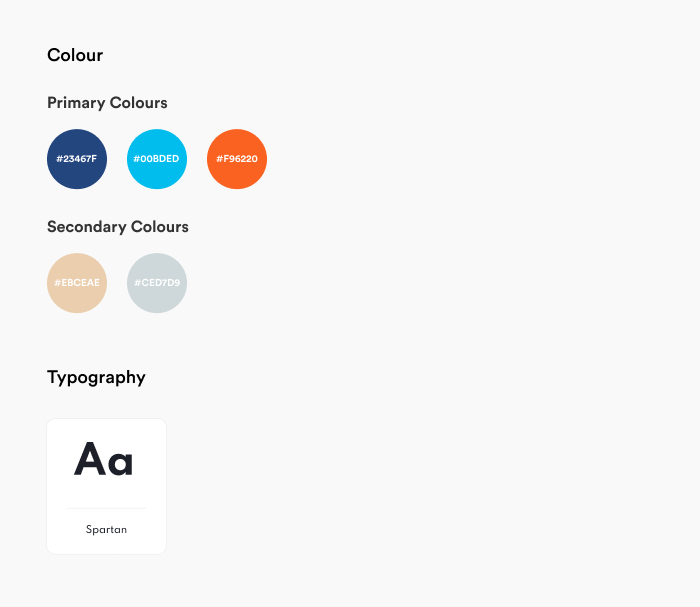
When turning my early ideas into high fidelity designs, I experimented with different colors, shapes, and typography in order to find a combination which best represented Data Gooses brand values - approachable, edgy & fun.

Testing - Usability & Feedback

In order to validate our design decisions, I conducted a usablity test with users using Maze.co, a heatwave was also used to help us understand how real users interact with the landing page.

Development

I developed the site using Webflow. Ensuring the site was fully responsive, working fluidly across all devices from web to mobile. I also made sure the site was inline with Web Content Accessibility Guidelines, ensuring it was perceivable, operable, understandable and robust; catering to users with visual & hearing impairments.

Reflections

Overall I was pleased how the project went. With that being said there were challenges that arose which proved to be  good learnning experiences and as a result have helped me to become a better designer.

Challenge  1.) Explaining my design decisions - This was my first client project and admittedly I found myself struggling to articulate my decisions to the client and explain why I had made X decison. I realise this is a skill which comes with experience. However In response to this I reached out to more experienced designers to seek their advice and guidance as well as watching videos.

Challenge  2.) Learning to compromise - I learnt that stakeholders, in this case the founders, arent always going to see face-to-face and agree with every decision that is made. I was able to find a solution that suited the founders’ vision of how they wanted to portray their brand while not compromising the user experience.